WHITEBOARDAlgebra · Shared board
LIVEA shared space for teachers, students and parents
THE WORKSPACE FOR TEACHING TOGETHER
Your teaching.
Their next chapter.
A shared space for you, your students and their parents. Bring classes, live whiteboards, AI, homework and payments into one connected teaching day.
A little less admin. A lot more teaching.
YOUR WORK, BEAUTIFULLY CONNECTED
One class. A whole learning journey.
From the first date in your calendar to the next “I get it!” — everything has a place.
Set your schedule once. Your lessons follow.
THREE VIEWS. ONE SHARED STORY.
Your students are part of it. Their parents can be, too.
You guide the learning. Everyone has their own account and a clear next step.
Your day, with room to teach.
A workspace that brings the whole picture together. See what’s next, what needs your attention and how each student is doing.
- Classes and schedules in one view
- AI help with preparation and review
- Homework, payments and student history
A good day to teach, Olena.

TEACH SPACE AI
Your AI teaching assistant.

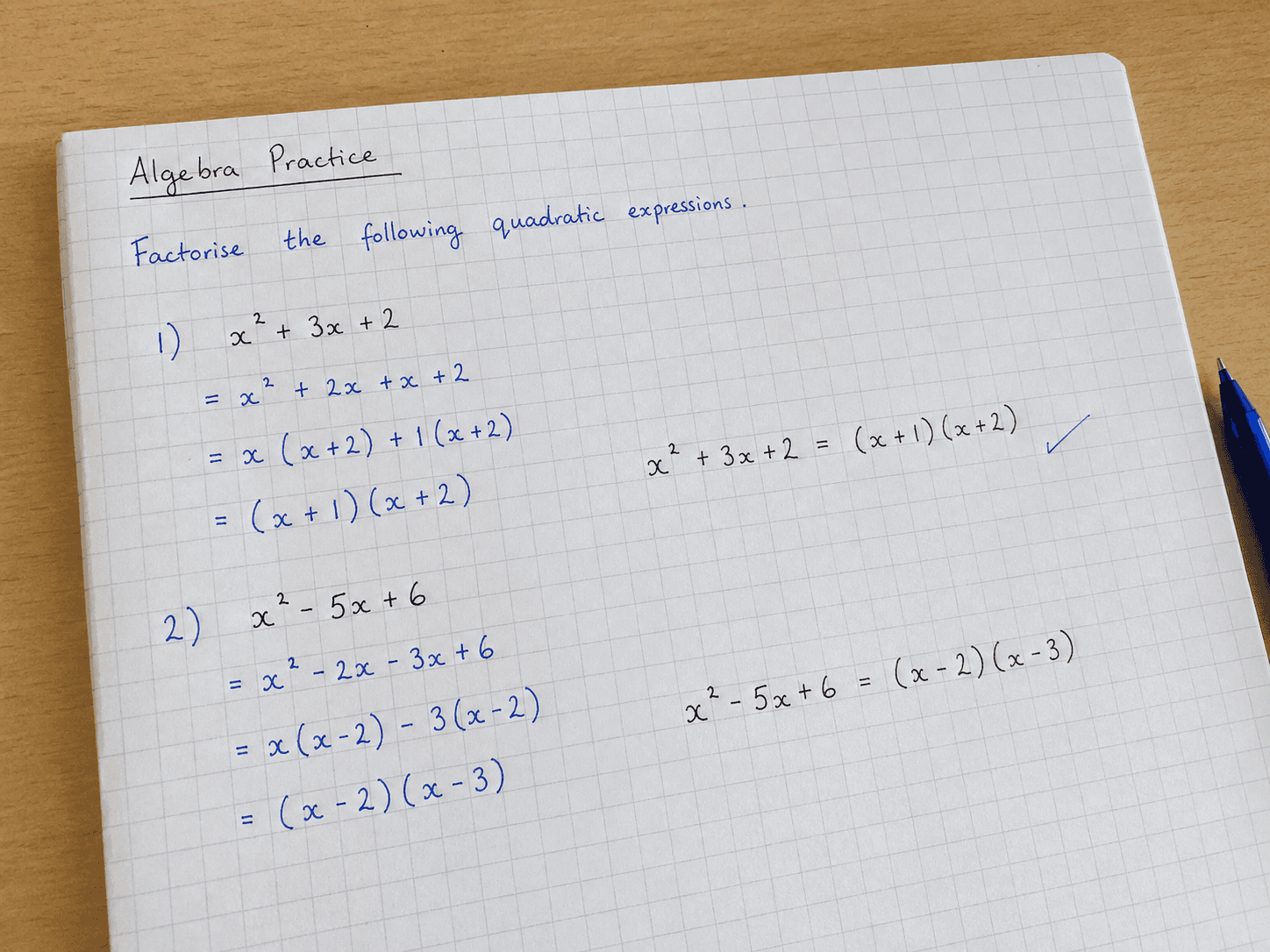
Start with a worksheet, a photo or an idea. Turn it into a lesson plan, new exercises or helpful feedback. Add your touch and make it yours.

Turn this worksheet into a 60-minute lesson on factoring.
A lesson with a clear rhythm
Expand (x + 1)(x + 2). Connect the result to the first example.
Factor the two expressions. Compare positive and negative factors.
Anna explains how she picks the signs, then checks by expanding.
Only you see the draft. Share it when you’re ready.
FAMILIAR DAYS. BETTER POSSIBILITIES.
Made for the way you really teach.
Different subjects. Different students. The same wish for a calmer teaching day.
“My favourite part is the five minutes before a lesson. I open the class, see where we left off, and I’m ready. No scrolling through yesterday’s messages.”
“A student said, “Oh, that’s how we did it!” while looking back at our board. That little moment sold me. The explanation was still there when he needed it.”
“I used to send the same homework to the child, then again to the parent. Now they can both find it themselves. Such a small thing, but it makes the end of my day easier.”
“I gave the AI a worksheet I already liked. It helped me build a lesson around it. I changed a few things, added my own examples, and thought: okay, this is actually useful.”
“I used to spend evenings searching my banking app and messages, trying to work out who had paid. Now students or parents can mark a lesson as paid themselves. I confirm the transfer and see what’s paid and what’s still due, all in one place. Such a relief.”
SPACE TO START. ROOM TO GROW.
Start with your next student.
The essentials to get going. More space and support as your teaching grows.
Free
For your first classes and students.
- Up to 5 students
- 500 MB storage
- 14 days of history
- 5 AI credits to try
- Live whiteboard · not saved
- Student & parent accounts
Plus
More students. More room to create.
- 20 students · 10 GB
- 1 year history
- 100 AI credits / month
- Saved whiteboards
- Unlimited class schedules
- Analytics, export & invoices
Pro
Your growing practice, with a team.
- 100 students · 30 GB
- Unlimited history
- 500 AI credits / month
- Saved whiteboards
- Team: you + 3 teachers
- Branded PDF exports
Every plan connects teachers, students and parents.
Subscriptions are purchased and managed inside the Teach Space app on iOS or Android. Prices may vary by region.
YOUR NEXT CHAPTER STARTS HERE.
Make room for great teaching.
Bring your first class into Teach Space. Let the rest fall into place.
Create your free workspace
GOOD QUESTIONS.
Let’s clear a few things up.
Find answers to the most common questions about Teach Space.
Does the app use AI?
Yes, in two places, and only when a teacher asks for it: AI can draft a lesson plan or homework, and it can draft a review of homework a student has handed in. Both are drafts only the teacher sees — the teacher edits or discards them, and nothing reaches a student until the teacher confirms it. The AI never grades anyone and never decides anything by itself. Our provider is OpenAI; this content isn't used to train models, and no names, avatars or account identifiers are sent with it.
What can I see in my child's account?
Everything: lessons, schedule, homework, grades, and the full chat with the teacher, attachments included. You're added to every one of those chats automatically.
How does a child sign in?
Adults sign in with an email and a password. A child needs neither. In My Children → Add Child you pick a name (a nickname works) and an emoji avatar, and the app generates a Login Code. The child enters that code instead. The code stays on the child's card, so you can look it up or generate a new one at any time.
What files can I upload?
Photos, PDFs, Word and Excel documents, PowerPoint presentations, plain text and CSV. There's also a built-in scanner for worksheets and notebook pages. Video files can't be uploaded, but you can add a link from YouTube, Vimeo or another popular service — the video stays where it is and we keep only the link and a preview. Attached as AI sources, the limits are tighter: up to 5 files per draft, at most 3 of them documents, 10 MB per PDF and around 50 pages read from each one.
The whiteboard says I'm offline — will I lose my work?
On Plus and Pro, your whiteboard changes are saved on your device first and sent to the server when the connection returns. Free includes a live whiteboard, but the board is not saved after it is closed.
How do I cancel my subscription or get a refund?
Subscriptions are managed by the store you bought them in, not inside Teach Space. iPhone or iPad: Settings → your name → Subscriptions → Teach Space. Android: Google Play → Subscriptions → Teach Space. After you cancel, paid features keep working until the end of the period you've already paid for. Refunds go through the same store: on iOS at reportaproblem.apple.com, on Android via Report a problem. A subscription also can't be moved between iOS and Android — cancel in one store and subscribe in the other.
What happens if I switch to a smaller plan?
The limits of your new plan apply. Students and files above those limits become restricted or read-only. Upgrade again to restore access within the higher limits. If you need help with your account or stored materials, contact support@teachspace.app.
Do you show ads or sell my data?
No to both. Teach Space has no ads and no ad tracking, and we don't sell your data to anyone — ever.
Built around the people who teach.
Teaching is a relationship that grows over time. We’re building a space that keeps the people, the work and the small moments of progress together.